Set-Up Guide
Follow these steps to set up your environment for the workshop.
Open the following repositories:
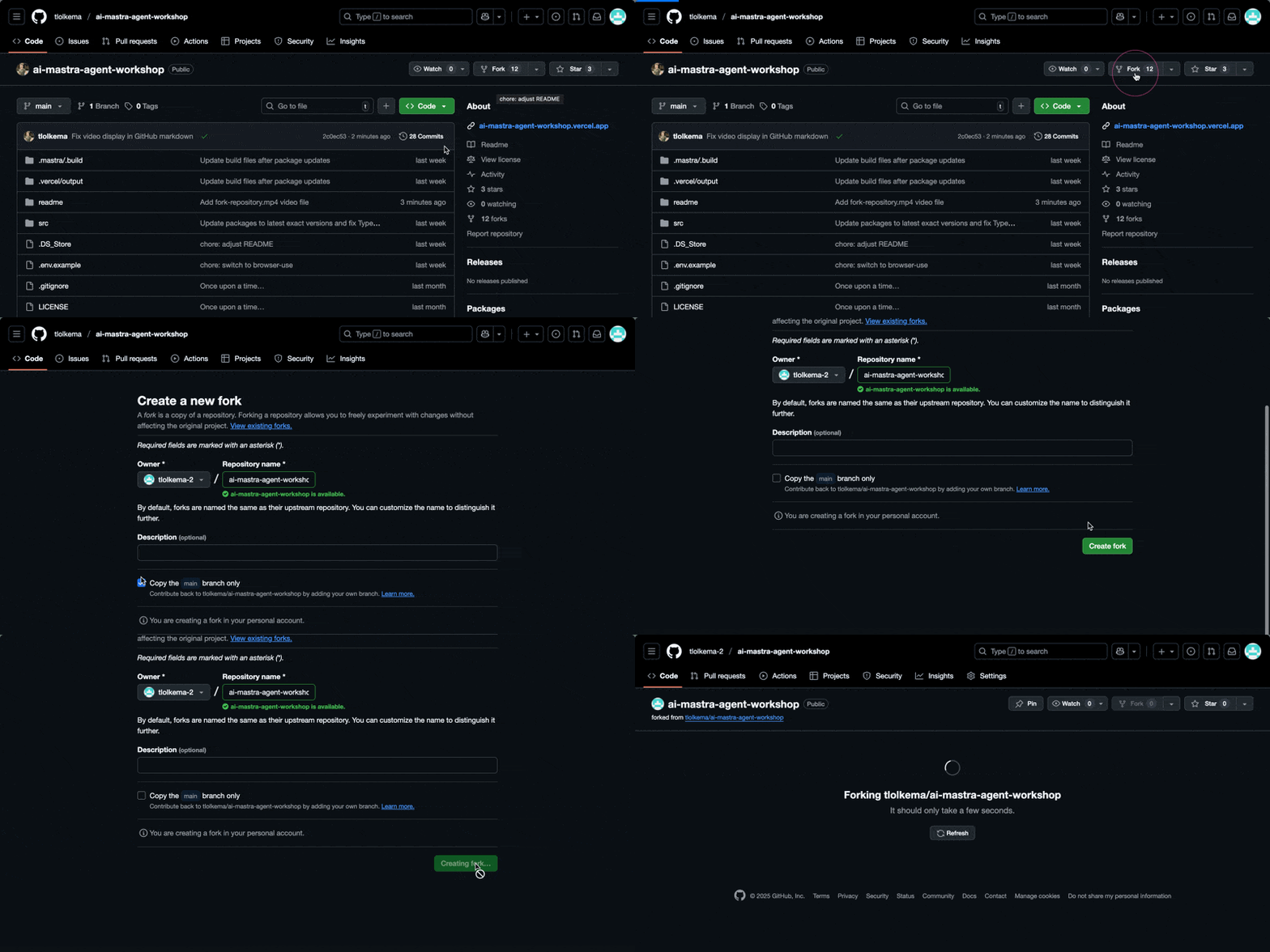
- Fork the repositories
- Clone the repositories
git clone https://github.com/YOUR-USERNAME/demo-webshop.git
git clone https://github.com/YOUR-USERNAME/ai-mastra-agent-workshop.git
Important: Replace YOUR-USERNAME with your actual GitHub username
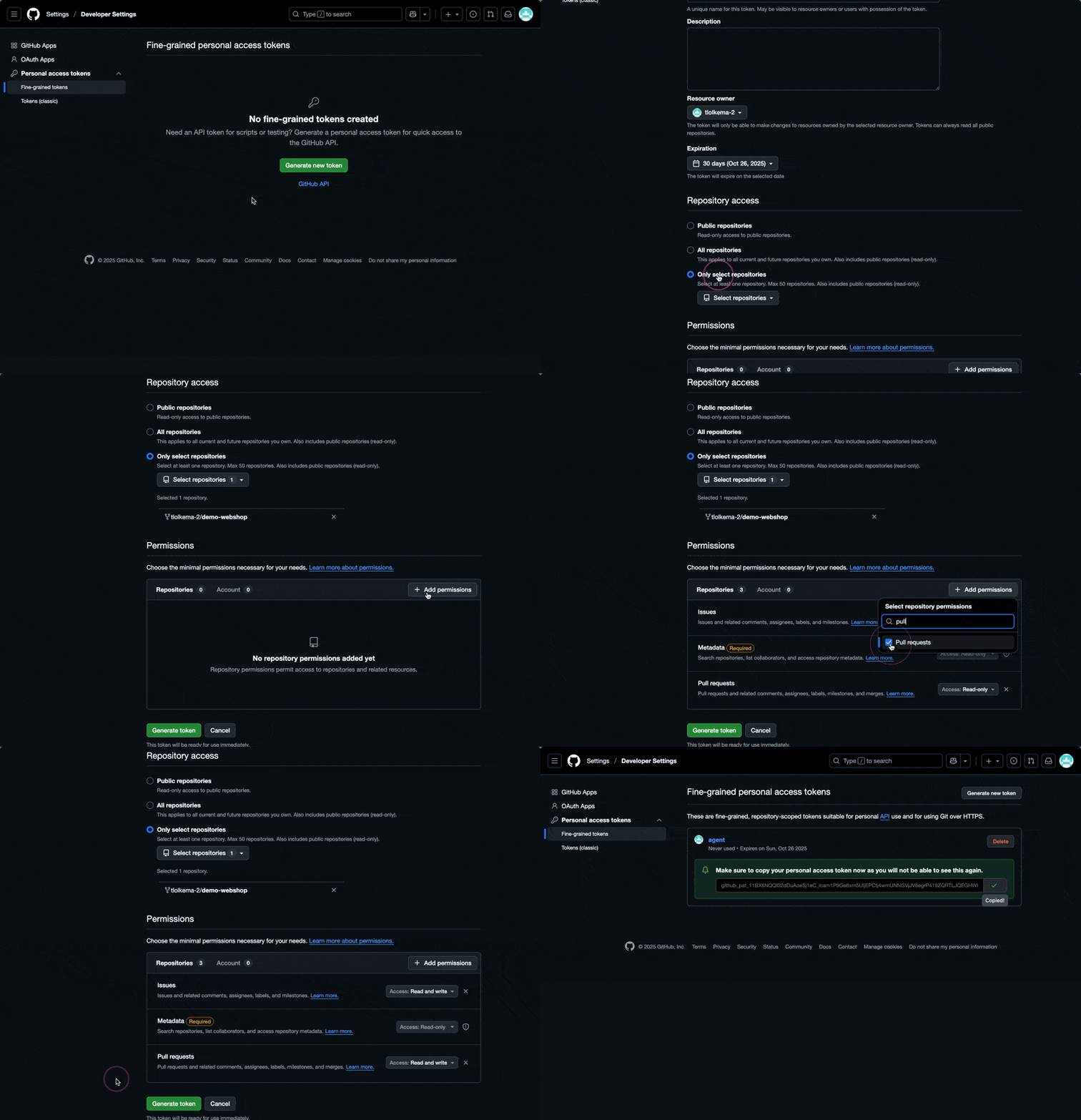
Create a Fine Grained GitHub Token
Go to: https://github.com/settings/personal-access-tokens
Give it access:
-
The demo application repository
demo-webshop - Read and write access to issues and pull requests
This token will be the GITHUB_TOKEN in the .env file
Create a Browser Use API Key
- Create a new Browser Use account at https://cloud.browser-use.com
- Go to https://cloud.browser-use.com/settings
- Click "Create API Key", give it a name, and click "Create"
This API key will be the BROWSER_USE_API_KEY in the .env file
OpenAI API Key
This key will be supplied to you by the workshop facilitator. You can retrieve it on the Workshop Overview page. This API key will be the OPENAI_API_KEY in the .env file
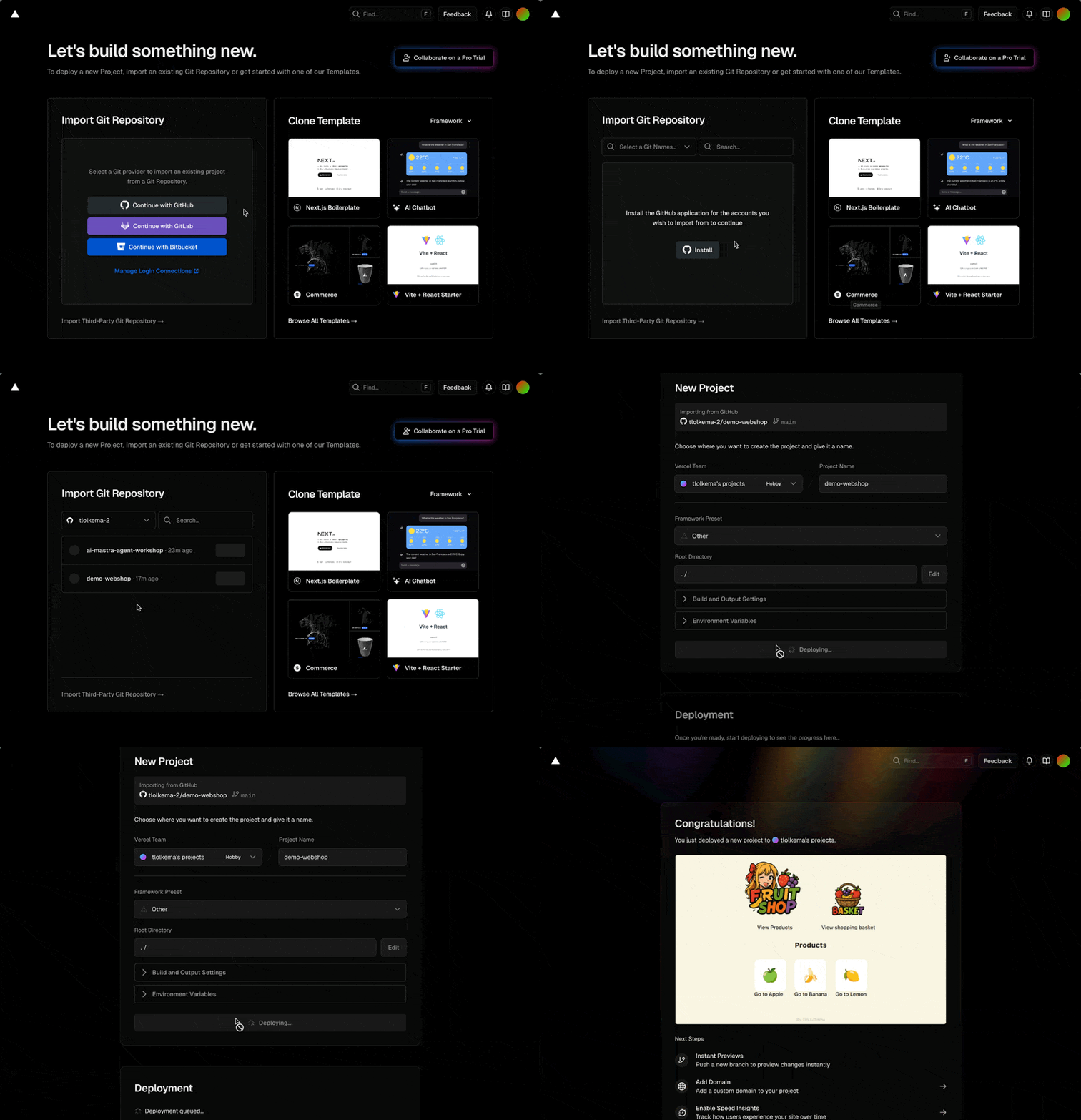
Deploy the demo application to Vercel so we have a preview URL for testing.
- Login to Vercel
-
Select the
demo-webshoprepository - If you don't see the repository, first link Vercel with GitHub
- Click "Deploy"
After deployment:
- Go to https://vercel.com
-
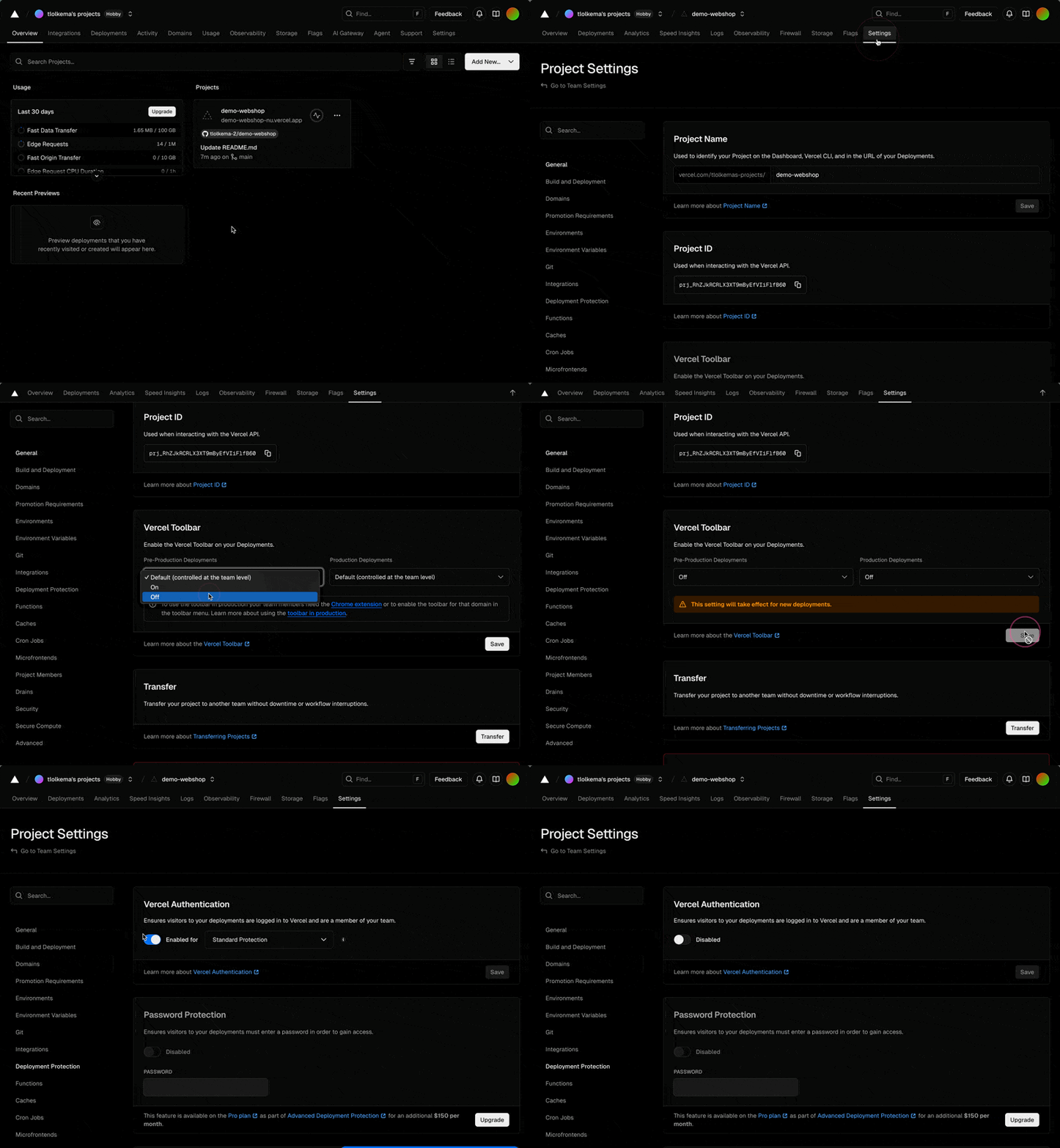
Click on your project
demo-webshop - Click "Settings" → Scroll to "Vercel Toolbar" → Disable → Save
- Click "Deployment Protection" → Disable Vercel authentication
Perform these steps in the ai-mastra-agent-workshop repository
Install dependencies:
npm installCreate a .env file with the environment variables from Step 2:
OPENAI_API_KEY=
BROWSER_USE_API_KEY=
GITHUB_TOKEN=
Run the development server:
npm run devYou should see something like this:
> ai-mastra-agent-workshop@1.0.0 dev
> mastra dev --dir src/mastra

◛ Preparing development environment...
✓ Initial bundle complete
◇ Starting Mastra dev server...

 mastra  0.13.1-alpha.0 ready in 599 ms

│ Playground: http://localhost:4116/
│ API:        http://localhost:4116/api
Go with your browser to the Playground URL e.g. http://localhost:4116/